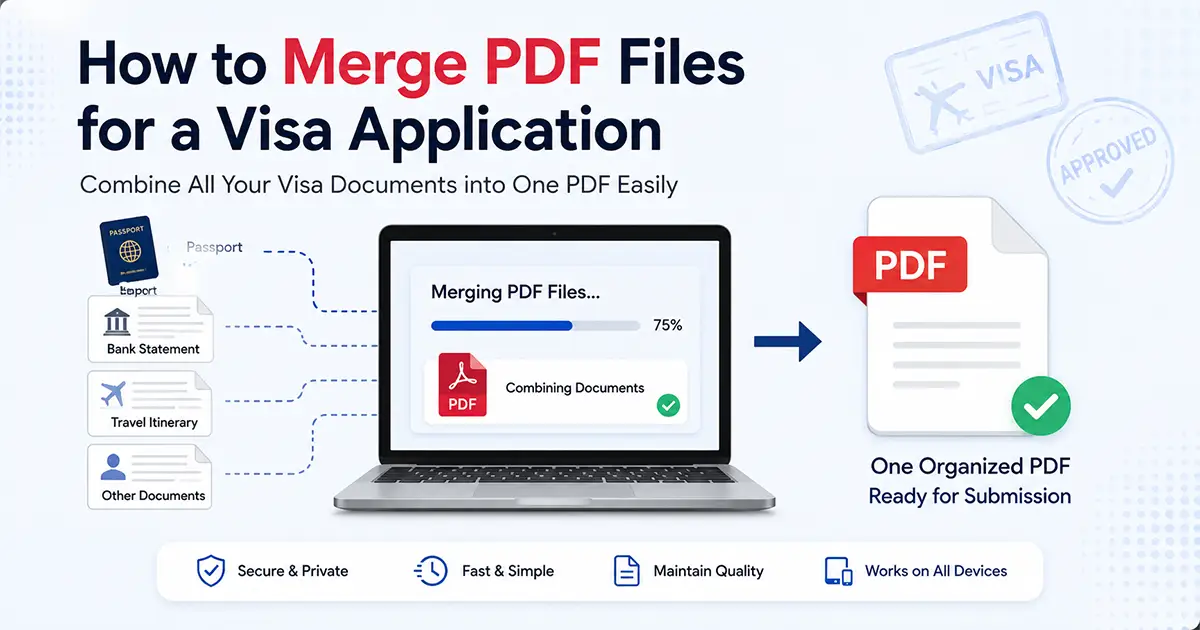
Preparing documents for a visa application can become surprisingly complicated when your files are spread across email attachments, scanned pages, downloaded statements, photographs, and separate PDF forms. The challenge isn't simply putting everything into one file. You also need the pages in the right order, the documents readable, and the final PDF within the upload requirements.
If your application instructions allow or require a single PDF, you can combine the relevant files into one document before uploading it. The safest approach is to first identify exactly which documents belong together, arrange them in a logical order, merge them, and then check the final PDF from beginning to end.
How do you merge PDF files for a visa application? (Quick Answer)
To merge PDF files for a visa application, collect the documents that the application instructions allow you to combine, arrange them in the required order, merge them into one PDF, and check the final file for readability and size before uploading it. Do not combine documents that the application portal asks you to submit separately.
Visa Document Preparation Checklist
Use this checklist before creating your final PDF. The exact documents required depend on your visa and application authority.
Why do applicants merge PDF files for visa applications?
Visa applications often involve documents created in different places and formats. A passport may have been scanned separately, a bank statement may have been downloaded from a financial institution, and supporting documents may have arrived as individual PDF attachments.
When the application instructions call for one combined file, merging those PDFs can make the submission easier to manage. It also gives you one document to inspect before uploading instead of checking several unrelated files.
However, merging documents is only useful when it matches the application's instructions. Some portals deliberately provide separate upload fields for different document categories. In that situation, combining everything into one PDF can create a problem rather than solving one.
Which visa documents may need to be combined?
The exact requirements vary by visa type and application authority, so use the official checklist for your application as the source of truth.
Depending on the instructions, a document group might contain items such as:
- Scanned copies of supporting documents
- Financial or employment documents
- Accommodation or travel evidence
- Letters and supporting statements
- Educational or professional documents
- Other supporting evidence requested by the application
Your passport, photograph, application form, or other identity documents may have separate requirements. Don't assume that every document should be placed into the same PDF simply because you can merge them technically.
How to merge PDF files for a visa application
1. Start with the official document checklist
Before opening a PDF tool, check the requirements for your particular visa application. Look for instructions about accepted file types, maximum file size, page limits, document categories, naming conventions, and whether multiple documents can be combined.
This step prevents a common mistake: creating one large PDF when the application system actually expects several separate uploads.
2. Collect the documents you need
Put the relevant PDF files into one temporary folder. Give the files clear names so you can identify them before uploading.
For example:
- 01-application-support.pdf
- 02-financial-documents.pdf
- 03-employment-documents.pdf
- 04-accommodation.pdf
The numbering is not a requirement from a visa authority. It is simply a practical way to keep your working files organized before merging them.
3. Check every PDF before merging
Open each source document before combining it. Look for blank pages, duplicate pages, sideways scans, missing pages, unreadable text, or documents that were accidentally scanned at an unnecessarily low quality.
A merged PDF does not automatically fix problems in the source files. If one document is missing a page before merging, the final PDF will still be missing that page.
4. Arrange the documents in the required order
If the application instructions specify an order, follow that order. If no order is specified, use a logical structure that makes the document easy to review.
For example, you might organize a supporting-document PDF as:
- Primary supporting document
- Financial evidence
- Employment or education evidence
- Accommodation evidence
- Additional supporting documents
This is an organizational example, not a universal visa requirement. The official instructions for your application take priority.
Build a Simple Document Order
Select the documents you have and use the suggested order as a starting point. Always compare it with your official application instructions.
5. Merge the selected PDF files
Once you've checked the files and their order, use a PDF merging tool to combine them. The important part is not simply clicking a merge button. It's making sure the correct files are selected and that the sequence matches your intended submission.
For a browser-based workflow, you can use ProPDFTool's Merge PDF tool to combine your selected PDF files.
6. Open the merged PDF and inspect it
Don't treat the download step as the end of the process. Open the final PDF and check it from the first page to the last.
Pay particular attention to:
- Page order
- Missing pages
- Duplicate pages
- Text readability
- Scanned photographs
- Signatures
- Stamps and seals
- Page orientation
What should you check before uploading the visa PDF?
The final document should be checked against the application instructions, not against a generic PDF checklist.
At minimum, confirm these points:
| Check | What to verify |
|---|---|
| File format | Confirm that PDF is an accepted format. |
| File size | Check the maximum size allowed by the application portal. |
| Page order | Make sure documents appear in the required sequence. |
| Readability | Make sure scanned text, photographs and stamps are clear. |
| Completeness | Check that no required page has been left out. |
| File name | Follow any naming instructions provided by the application system. |
What if the merged PDF is too large?
Scanned documents and image-heavy PDFs can become large quickly. If your combined document exceeds the upload limit, the next step is usually to reduce its file size while keeping important information readable.
Before compressing the document, keep an original copy. Then compress the working copy and inspect the result carefully. This matters when your PDF contains photographs, signatures, stamps, scanned identification pages, or other details that must remain legible.
If you need to reduce the file size, you can use ProPDFTool's Compress PDF tool.
Common mistakes when preparing a visa PDF
Merging documents that should be uploaded separately
This is one of the most important mistakes to avoid. If the application portal has separate upload fields, follow those fields rather than creating one large document.
Ignoring the maximum file size
A correctly merged PDF can still be rejected by an upload system if it exceeds the permitted file size.
Submitting unreadable scans
Reducing file size too aggressively can make scanned text or photographs difficult to read. Always inspect the final compressed document.
Forgetting page order
Merging files in the wrong sequence can make an otherwise complete document harder to review and may conflict with application instructions.
Not checking the final file
Never assume the merged PDF is correct simply because the tool reported a successful merge. Open the final file and check it yourself.
When should you not merge visa documents?
You should not automatically combine documents simply because the PDF tool allows you to. Keep files separate when the official application instructions provide separate upload fields or specify different document categories.
You should also be cautious when combining documents that have different requirements, such as photographs, identity documents, forms, or supporting evidence. The correct submission structure comes from the relevant visa authority or application center.
Can you merge scanned visa documents?
Yes. Scanned documents can be combined into one PDF when the application instructions permit it. The important checks are readability, orientation, page order, and completeness.
If the scans contain text that needs to be searchable, you may also need an OCR workflow. In that case, you can use OCR PDF before preparing the final document.
A simple visa PDF preparation workflow
Bottom line
Merging PDF files can make a visa application easier to manage when the application instructions allow documents to be submitted together. The important part is the preparation before and after the merge: check the requirements, organize the documents, inspect every page, verify the file size, and make sure the final document follows the application's instructions.
Don't merge documents simply because you can. Merge them because the submission workflow calls for one organized PDF.