Introduction
Need to merge PDF files online free without login? You’re not alone. Thousands of students, professionals, legal teams, freelancers, and businesses search every month for a fast way to combine PDF documents without creating an account, paying for a subscription, or dealing with watermarks.
Many tools claim to be free—but once you upload your files, they ask you to sign up, limit file sizes, or add branding to the final document. This guide explains exactly how to merge PDF files online without login, without watermark, and without losing quality.
Quick Answer: The fastest way to merge PDF online without login is to use a browser-based PDF merger like PropDFTool: upload files, arrange order, click merge, and download instantly.
What Does Merge PDF Online Free Without Login Mean?
This means combining multiple PDF files into one document using a browser-based tool without:
- Creating an account
- Registering an email
- Installing software
- Paying for premium access
- Accepting watermarks on the output file
For many users, especially on shared computers or mobile devices, a no-login PDF merger is the fastest and safest option.
How to Merge PDF Online Free Without Login
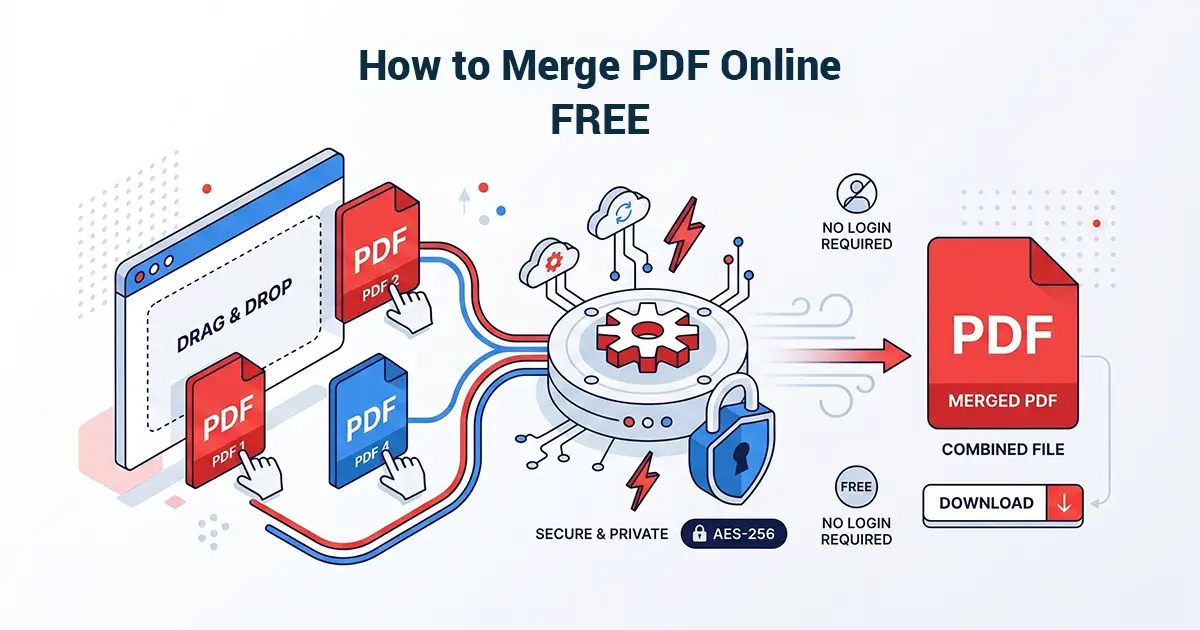
Step 1: Open the Merge PDF Tool
Visit PropDFTool’s Merge PDF page in your browser.
Step 2: Upload Your Files
Drag and drop your PDFs or click upload to select them from your device.
Step 3: Arrange File Order
Reorder the uploaded PDFs by dragging them into the sequence you want.
Step 4: Click Merge PDF
Press the merge button and wait a few seconds while the tool combines your documents.
Step 5: Download Your Merged File
Download the final merged PDF instantly—no watermark, no signup, no delays.
Why Use a No-Login PDF Merger?
Faster Workflow
Skip account creation and password verification.
Better Privacy
Your files are processed temporarily and deleted automatically.
Works Anywhere
Use on desktop, laptop, tablet, or mobile browser.
No Software Needed
Everything happens online.
Key Features to Look For in a PDF Merge Tool
- No login requirement
- No watermark on output
- Unlimited merges
- Large file support
- HTTPS encryption
- Auto file deletion
- Mobile-friendly design
- Fast processing speed
Common Problems When Merging PDFs Online
Watermarks Added to Output
Some tools brand your final file unless you upgrade.
File Size Limits
Many free tools cap uploads at very small sizes.
Account Required After Upload
Some tools force registration only after you invest time uploading.
Formatting Issues
Poor tools may break fonts, hyperlinks, or layout.
Who Needs to Merge PDF Files Online?
Students
Combine assignments, projects, and certificates.
Businesses
Merge invoices, contracts, and reports.
Legal Teams
Assemble agreements, annexures, and exhibits.
Accountants
Combine financial statements and receipts.
Freelancers
Bundle proposals, portfolios, and client deliverables.
Is It Safe to Merge PDFs Online?
Yes—if you use a secure PDF tool with HTTPS encryption and automatic file deletion.
Always avoid uploading confidential documents to tools that:
- Do not use HTTPS
- Store files permanently
- Require unnecessary account creation
- Have unclear privacy policies
Pro Tips for Best Results
- Name files in sequence before uploading (01, 02, 03)
- Compress large PDFs before merging
- Double-check page order before downloading
- Verify final output before sending
Related PDF Tools You May Need
- Compress PDF Tool
- Split PDF Tool
- Unlock PDF Tool
- Protect PDF Tool
- Image to PDF Tool
- PDF to Word Tool
Frequently Asked Questions
Can I merge PDF online without signing up?
Yes, many tools including PropDFTool allow PDF merging without signup.
Will the merged PDF have a watermark?
Not if you use a true free no-watermark PDF merger.
Can I merge PDF files on mobile?
Yes, browser-based tools work on Android and iPhone.
Does merging reduce quality?
No, proper PDF merge tools preserve original quality.
Conclusion
If you need to merge PDF online free without login, the best approach is to use a secure browser-based tool that offers no signup, no watermark, and instant processing.
PropDFTool makes it easy to combine PDF files online in seconds while keeping your workflow fast, simple, and private.